
Compare the amounts reported by the companies and explain the differences. Fincorex® applies the configured elimination rules and shows their impact on the group balance sheet and income statement.
Linking items to the companies on both sides of a transaction.
Comparing the amounts reported by group entities.
Drilling down from a mismatch to items in company packages.
Comparing data in the group's reporting currency.
Eliminations according to the rules configured for the group.
Eliminating mutual receivables and payables.
Eliminating reconciled internal revenue and costs.
Comparing the sum of company data with results after eliminations.
Checking the effect of eliminations on group report items.
Company A reported PLN 8m in receivables, and Company B reported PLN 7.9m in payables. In this example, the difference is explained by a missing item in Company B's package.
Simplified balance reconciliation example · PLN
In this simplified example, PLN 8m of internal sales has a matching amount in the other company's costs. The elimination reduces both items by the same amount, so operating profit stays at PLN 12m.
The view shows the impact of the elimination on individual P&L items. Illustrative data.
Put both sides' data together by period, counterparty and item.
Check for missing items and reconcile the data before applying the rules.
Verify the impact of elimination rules on the group balance sheet and P&L.
Compare the sum of companies with results after eliminations. See which items the elimination affects and what amount remains in the group report.
A common scope of data submitted by the companies.
Reports based on post-consolidation data.
Integration of accounting, ERP, sales and HR systems and Excel.
Visibility into eliminations and their impact on individual items.
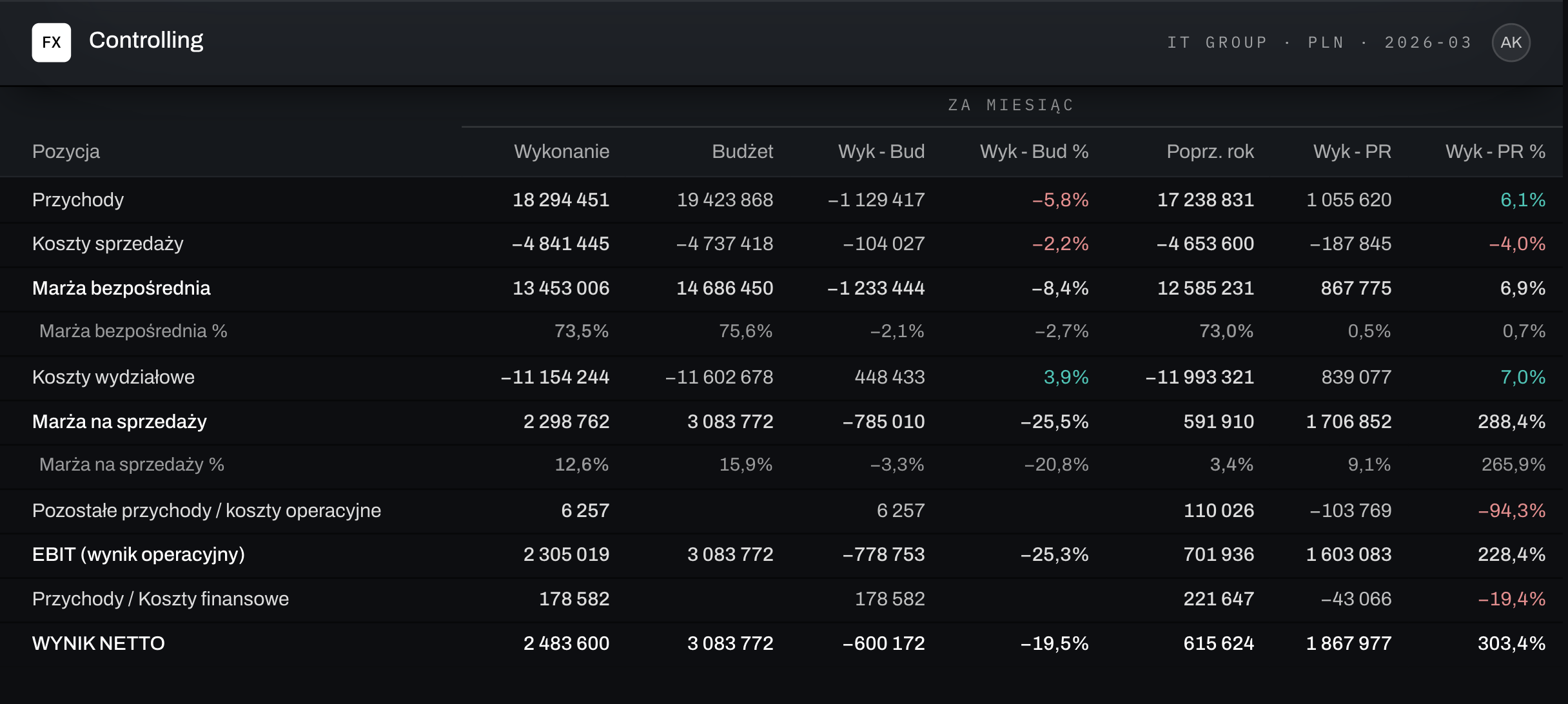
Sample report layout · illustrative data
Intercompany (IC) items are transactions and balances between companies in the same group. They are eliminated in the group financial statements so that only results and balances with external parties are shown.
Fincorex® compares the amounts reported by both parties to a transaction and applies the elimination rules configured for the group – in the balance sheet and in the income statement.
The reconciliation report shows the difference by counterparty and item. Once the cause is explained and the package is completed, the elimination covers the reconciled amounts.
Yes. Both sides' data is compared in the group's reporting currency after applying the adopted exchange rates.
In the before-and-after eliminations view and in the group report – for each item you can see the sum of companies, the elimination amount and the post-consolidation value.
As a proof of concept, we’ll rebuild your reporting or planning model in Fincorex® and show it to you at our next meeting.
Book a demo