
EPM software
you can implement
in a month.
We quickly configure a flexible system with built-in financial logic to fit your financial model.
Fincorex® organizes processes and streamlines tasks, so you gain time for analysis and decisions.
Book a free demo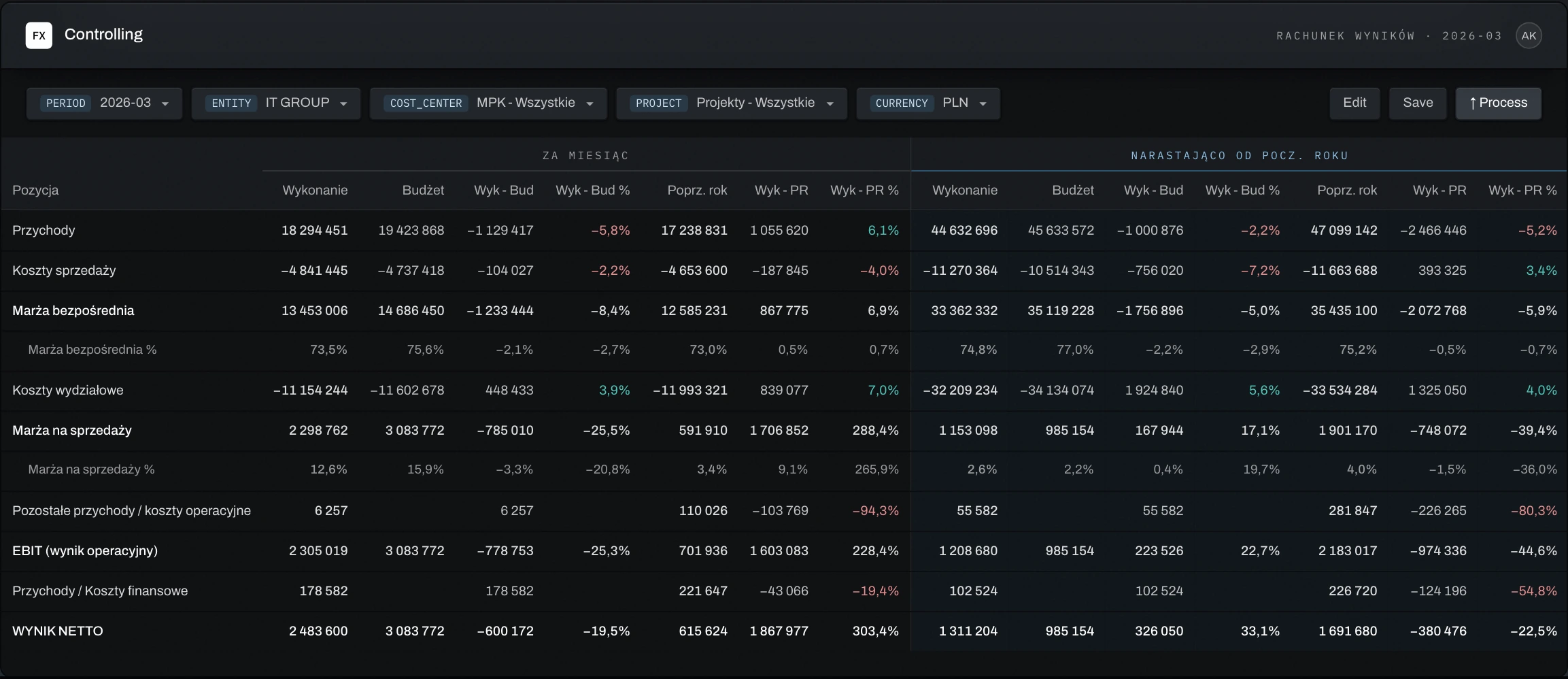
Zaufali nam









One EPM platform for budgeting, financial consolidation, reporting and BI
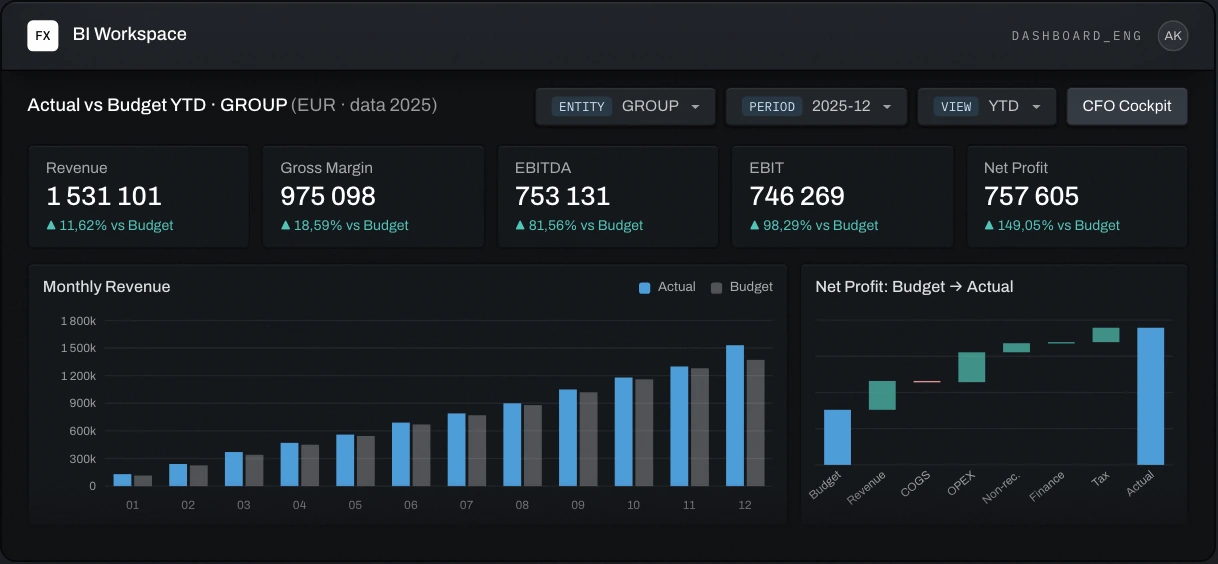
Build budgets and forecasts, consolidate group results, and prepare reports for management and the board. Use interactive dashboards to track KPIs, compare actuals against budget, and investigate variances.
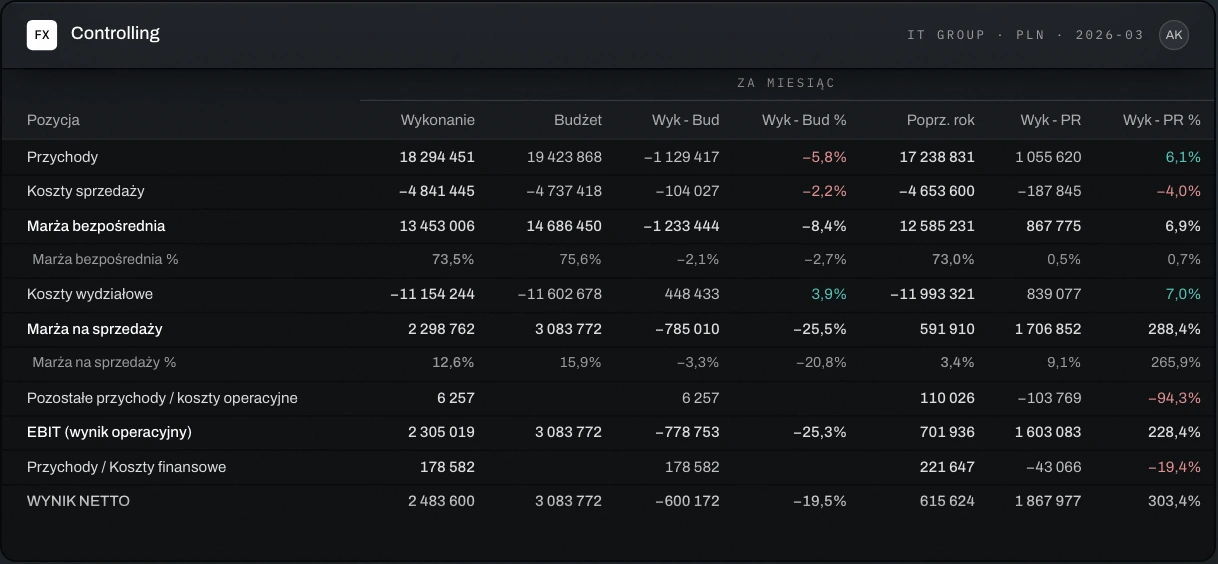
Financial Controlling for transparent finances and sound decisions
Integrated finances of a capital group
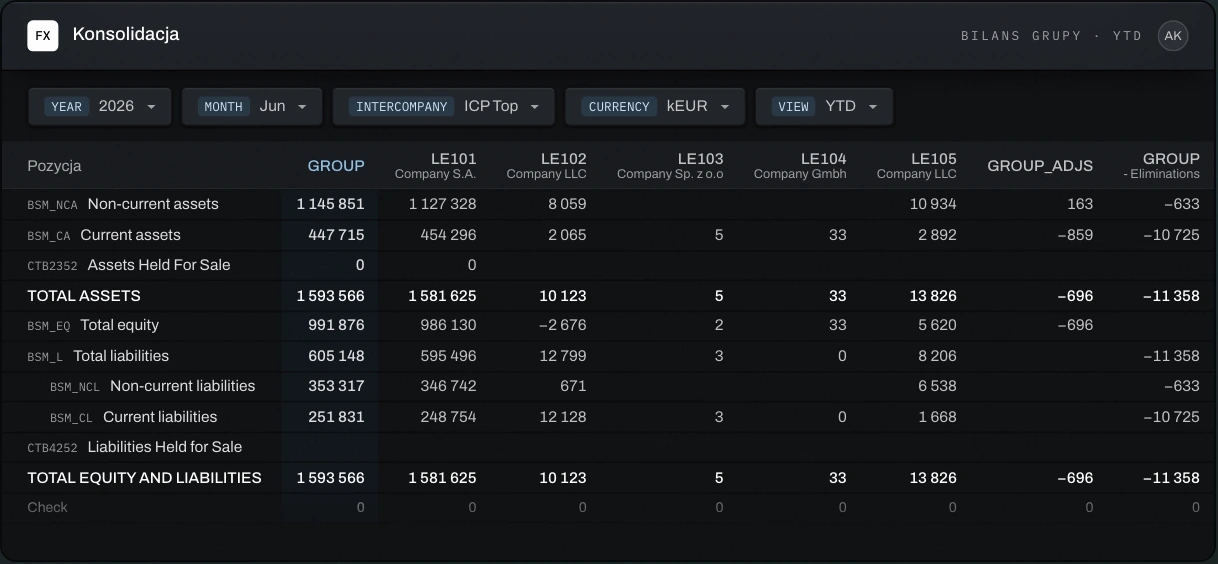
Budgets and forecasts on shared templates
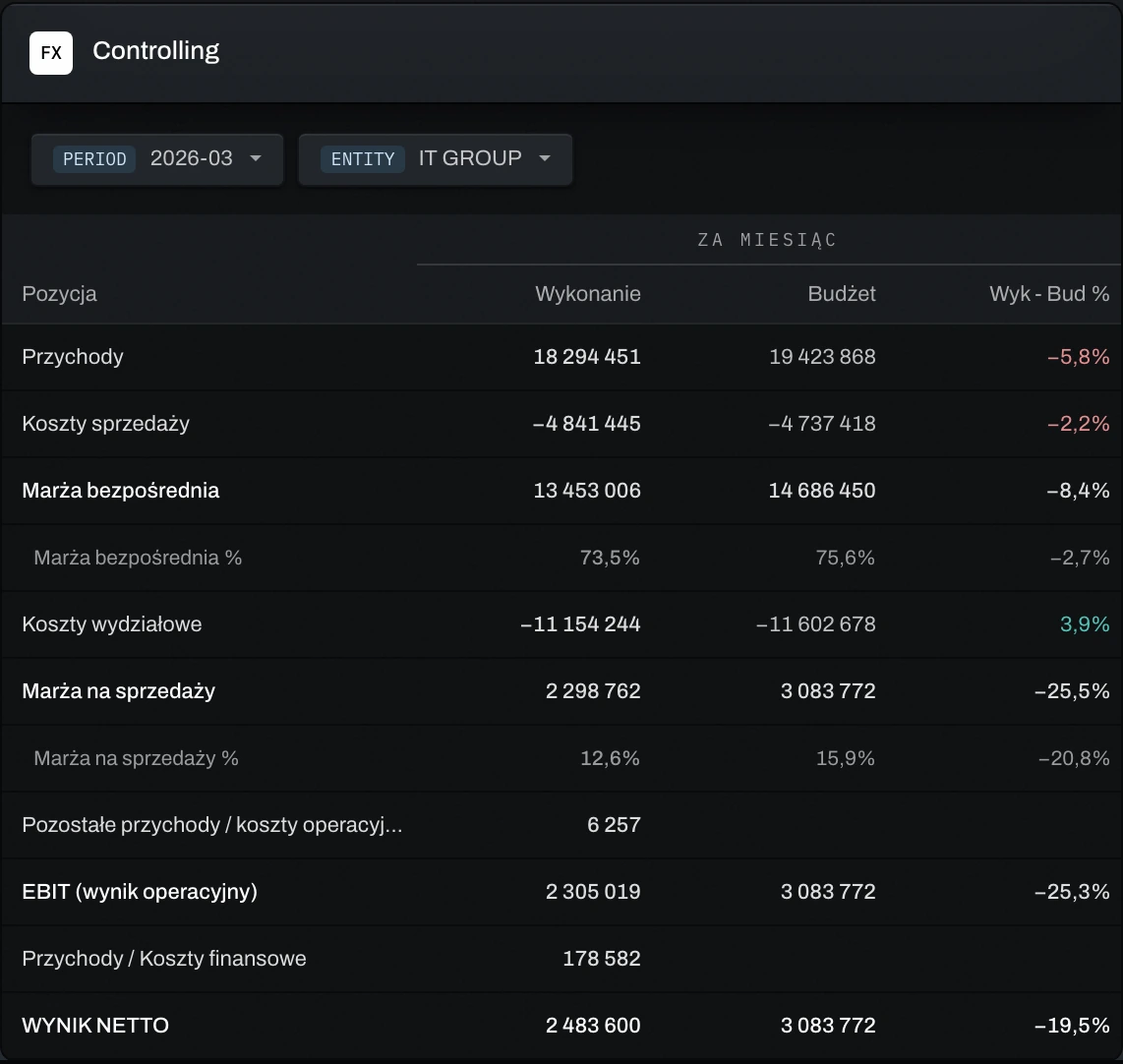
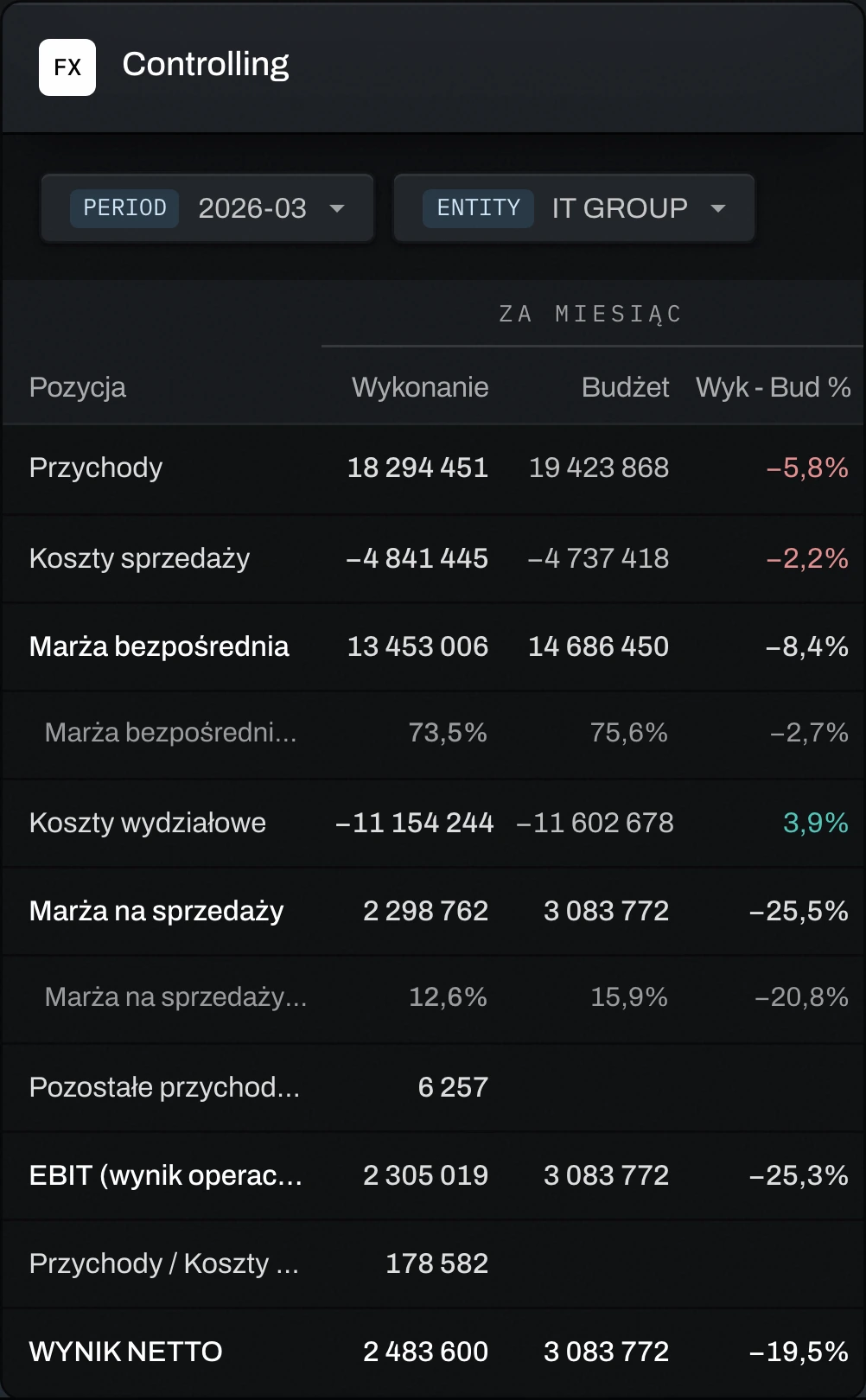
Results readable at a glance
Results commentary prepared with AI
Unlock the potential of data analytics
AI prepares, you approve
What problems does Fincorex® solve?
Working at companies like yours
Group consolidation
Multi-sector holding · 40+ companies · 8 currencies, 2 rates
Read the case study →Controlling in IT
IT · 100 cost centers · income statement and margin
Read the case study →CAPEX
Pharma · 1,000+ projects · 3 currencies
Read the case study →OPEX by cost center
Biotech · 100+ departments · 2 currencies
Read the case study →“It is a key system for reporting our organization’s results.”
“Fincorex® is our main controlling system.”
Why do clients choose Fincorex®?
A flexible system
The Fincorex® system is fully configurable to your organization’s needs.
Intuitive to use
Designed around the controller’s work – using the system feels like working in Excel.
Smooth implementation
Built-in financial logic enables a fast, well-organized implementation.
Security
Your organization’s data stays secure thanks to sign-in with a company account, MFA and regular system updates.
Business Intelligence
Dashboards and reports are always built on current data – in Fincorex® BI or Power BI, with no manual export.
Support from AI Agents
You give them instructions in plain language, and they prepare the result.
Self-service
You change accounts, cost centers or templates yourself, within your permissions. IT takes care of security, you take care of controlling.
Integration with any source
Data from accounting, ERP, sales and HR systems and Excel files flows into one model, with no manual copy-pasting.
We implement for your organization, not for a template.
From one to several weeks for smaller projects, 2–4 months for larger organizations.
- 01Needs analysisWe learn your processes, reports and data sources.
- 02Model designWe design the model, dashboards and AI agents.
- 03Data integrationWe connect accounting, ERP, sales, HR and Excel files in one model.
- 04Training and go-liveWe train users and launch the system.
- 05Post-implementation supportThe number of support days depends on the client’s needs.
Before your IT team asks.
- SaaS or your own servers – your choice
- Sign-in with a company account and MFA
- Role-based permissions, including cross-permissions
- A full audit trail of every change
Frequently asked questions.
What does the price depend on?
The scope of the model, the number of companies and the number of users.
How long does implementation take?
Implementation time depends on the scale of the project and the scope of integration. Smaller projects, such as planning capital expenditure, departmental costs or personnel costs, can be implemented in just a few weeks.
For a larger Fincorex® implementation for controlling or financial consolidation, the process usually takes 2 to 4 months.
Who maintains the system afterwards?
Controlling adds and modifies system elements such as accounts, cost centers and permissions on its own, without IT support.
Which accounting and ERP systems does Fincorex® integrate with?
The system’s open architecture allows integration with popular accounting and ERP systems such as Symfonia, SAP, Oracle, Microsoft Dynamics and enova365, as well as with HR and sales modules and project management tools.
How is Fincorex® different from Excel and other controlling tools?
Fincorex® is a web application designed to handle the challenges of large organizations, where hundreds of employees need to plan budgets and analyze costs together. The system brings all data together in one place, updates it in real time and lets many people work on the same forms at the same time.
The system has built-in financial logic. It was created by controlling specialists, so it is not only efficient but also intuitive, easy to use and easy to maintain.
Fincorex® is integrated with MS Excel and also has a Power BI connector.
What does technical support look like after implementation?
During implementation, we provide training for users and administrators so they can make full use of the system in their daily work. Training covers both using the application and support in setting up controlling processes.
We also provide additional technical and expert support services, including process consulting and follow-up training. This way, clients can count on our support as their organization’s processes change.
Is Fincorex® available only as SaaS?
We offer the system in two deployment models: on-premise and SaaS.
In the on-premise version, the system is installed directly on the client’s servers. This gives the client full control over the environment: from configuration and security to compliance with internal and external regulations. It is a solution for organizations that fully manage their own infrastructure.
In the SaaS model, responsibility for infrastructure, maintenance, updates and security lies with the provider, Fincorex®. The client uses the system on a subscription basis, with no need to invest in hardware or IT resources, and can cancel with one month’s notice.
Is company data secure in the system?
We maintain the system to the highest standard so that clients use a secure, stable solution.
We continuously monitor the application’s availability, performance and security. We roll out new features, fixes and security updates without disrupting users’ work. We run automatic backups and make sure data can be restored quickly when needed. We implement and follow the company’s security policy, which includes encryption, access control and MFA.
Can the system assign user permissions precisely?
Yes. In Fincorex®, you can create detailed permission groups and give users access only to the data they need for their work. For example, PMs analyze the profitability of their own projects only, KAMs plan and monitor revenue from their own clients, and cost center heads see the financial results of their own department only.
You can also set up so-called cross-permissions. For example, the fleet manager forecasts all costs in their own department, but also has to plan fleet-related costs for all departments in the company.
See your model
before you decide.
As a proof of concept, we’ll rebuild your reporting or planning model in Fincorex® and show it to you at our next meeting.
Book a demo